TEMP Zendesk
After you create your illustration(s) in Ensight Intelligent Quote, click on the blue Create Presentation button at the bottom of the Summary page. The illustration dialog box will open, letting you use a template to create a new presentation, create a new presentation from scratch, or add your illustration(s) to an existing presentation.
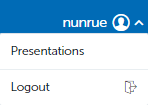
Another way to get to Ensight Presentations from Ensight Intelligent Quote is to click on your username at the top right corner of the Intelligent Quote home page, then click Presentations.