TEMP Zendesk
This can be done for all ledgers that have year or age inputs.
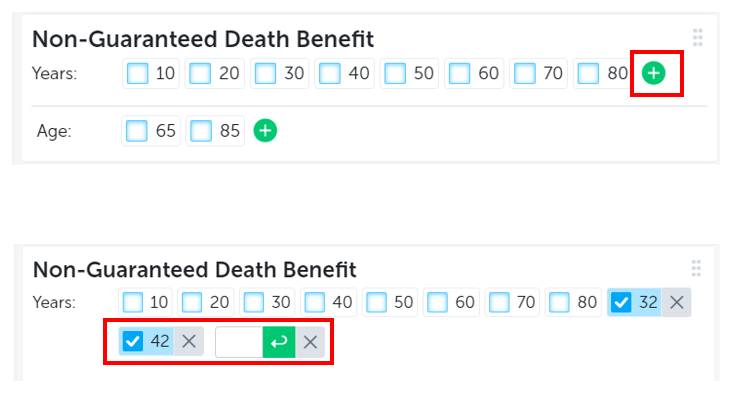
Show results for any year or age in the Summary Page. In order to do this:
- Open the display configuration.
- Click the green "+" to add a new input year and/or year.
- Click the "x" next to each custom year or age added to remove.
There is no limit to the number of years or ages that can be added, but not all of them may display on the screen.