 TEMP Zendesk
Add Notes To Illustrated Products On Charts, Spreadsheet And The Product Table
Previously in the product tab, you are now able to easily add notes for illustrated products in Ensight Presentations on Spreadsheet, Charts, the Product Table, or the Single View pages. Click "Add Note" to add a short note about one of the products. After typing in a note, click "Save" to save your note.
The notes feature can be used to differentiate products, notate the interest rate the product was run at, show the client's underwriting class, and more.
See how this works below.
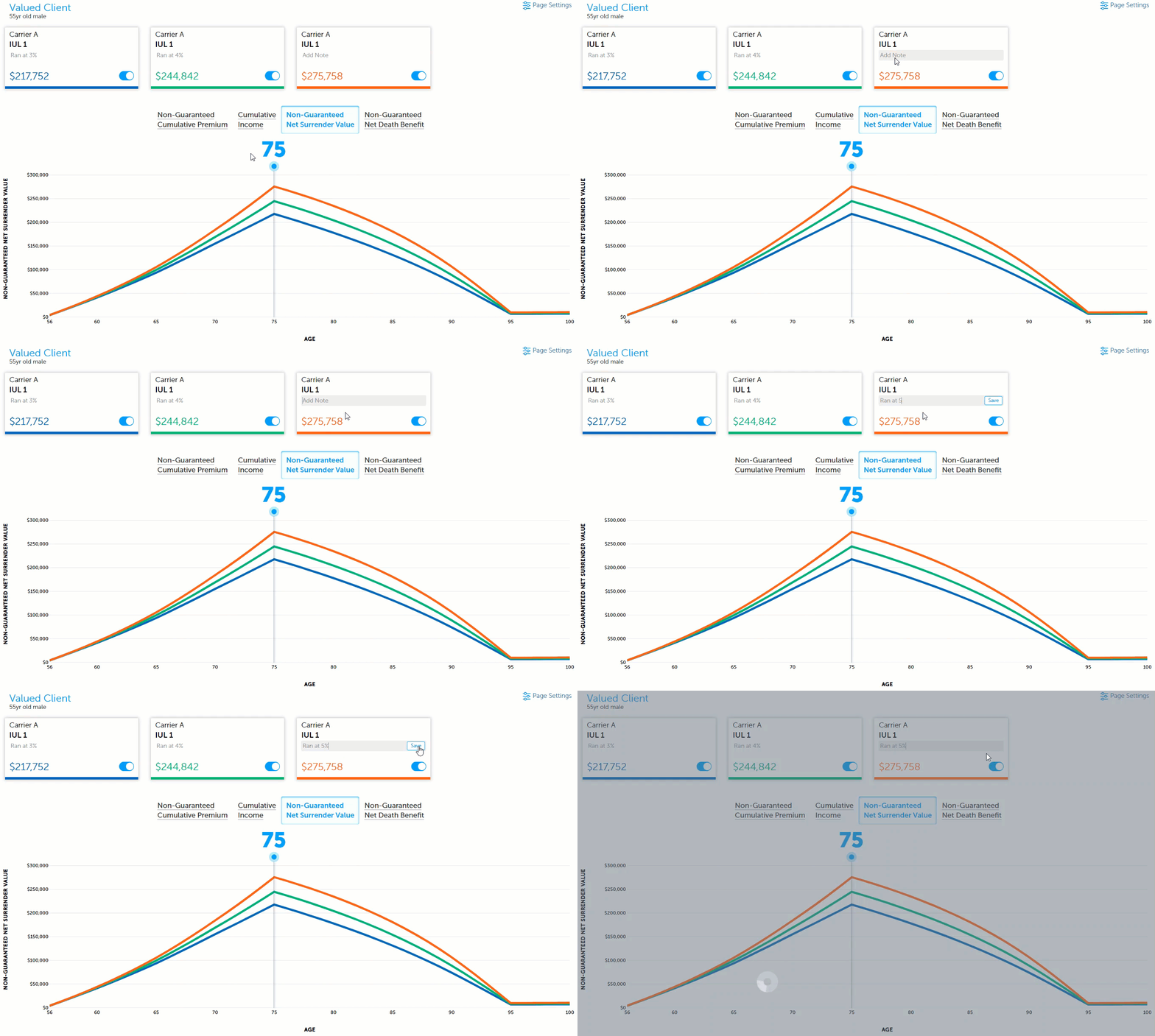
Charts
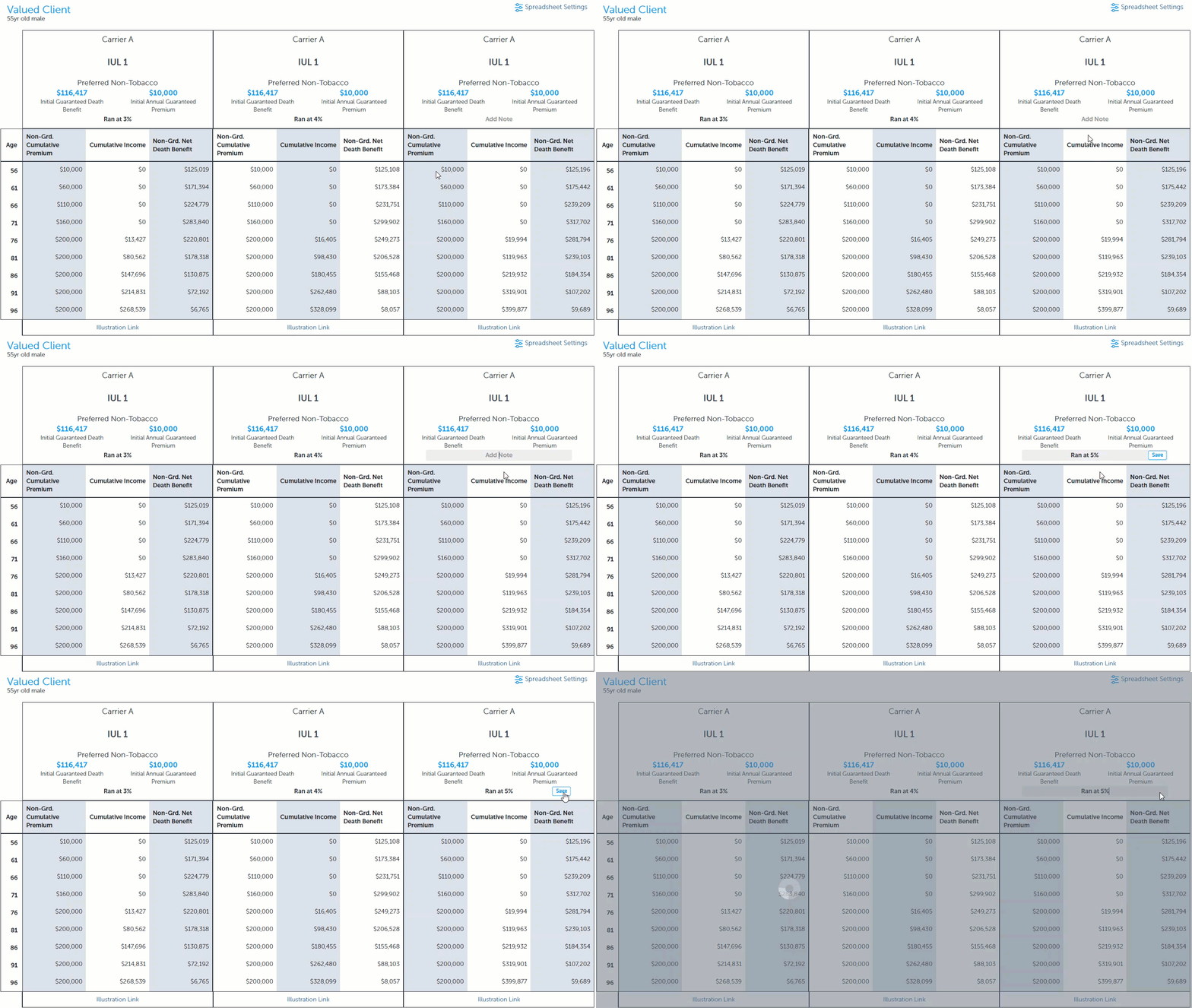
Spreadsheet
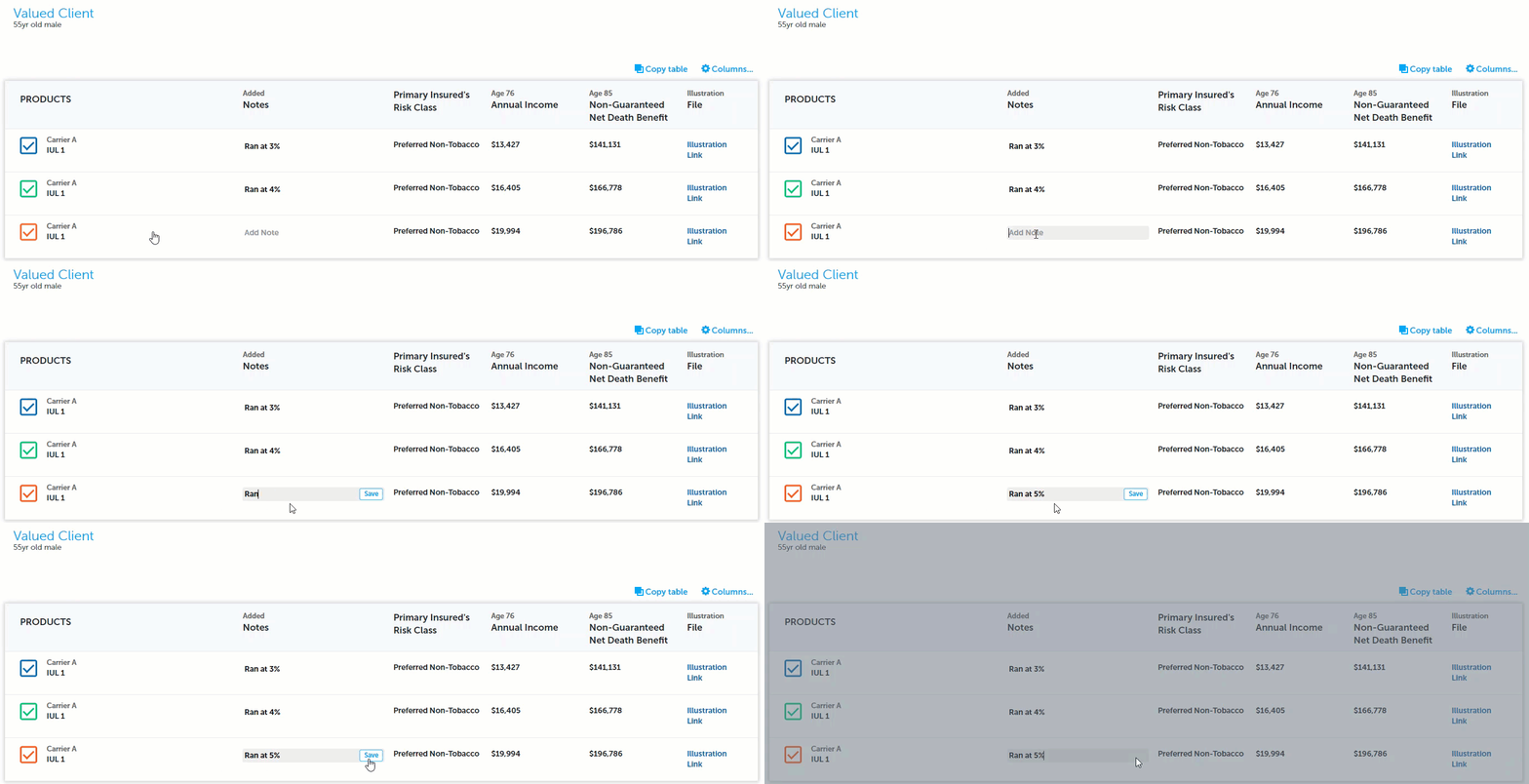
The Product Table